Brat Generator – Create Brat-Style Text, Covers & Memes

Create fun Brat-style designs with our free Brat Generator inspired by Charli XCX’s Brat aesthetic. Make bold text, album-style covers, memes, profile images, and social media posts in just a few clicks. Add your own words, choose your style, and create a custom design in seconds. No design skills, software, or downloads are needed.

Brat Generator
BG
Text
75
Small Large
1.5px
None Max
0.85x
Narrow Wide
-2px
Tight Loose
Lowercase
Mirror Text
Low-res Compression

What Is A Brat Generator?

Brat Generator is a free online tool for creating bold, simple, and eye-catching designs inspired by the Brat aesthetic. You can use it to make Brat-style text, memes, album covers, social media graphics, profile images, and custom designs without any graphic design skills.

Creating a design is simple. Just enter your text, pick the colors and style you like, and generate your design in seconds. You don’t need Photoshop, design software, or any technical experience. The generator does the hard work for you, so you can focus on creating something that looks great.

The style is inspired by Charli XCX’s Brat album, which became well known for its bold green cover, simple typography, and unique visual style. The Brat aesthetic has become popular across social media, where people use similar designs for memes, posts, profile pictures, wallpapers, and other creative content.

Create Brat-Style Designs for Free

Brat Generator is made for anyone who wants to create fun designs without spending hours learning complicated design tools. Whether you want to make a meme, create a custom Brat-style cover, add bold text to an image, or make something for social media, you can do it quickly.

You have control over the main parts of your design, including your text, colors, layout, and style. Simply enter what you want to create and customize it to match your idea. You can experiment with different words and styles until you get the look you want.

Best of all, you can use the generator for free. There is no need to buy expensive design software or pay for advanced graphic design tools just to make a simple Brat-style image.

Make Your Own Brat-Style Images

You don’t have to be a professional designer to create something cool. Brat Generator keeps the process simple, so beginners can start creating right away.

From Charli XCX-inspired album covers and Brat memes to social media posts and custom text graphics, you can turn a simple idea into a shareable design in just a few clicks. Try different text, colors, and layouts, and create a Brat-style design that feels like your own.

If you enjoy creating unique usernames or adding hidden spacing to text, you can also explore invisible characters for fun profile names and social media ideas.

How to Use Brat Generator

Using the Brat Generator is quick and easy. You don’t need graphic design skills or previous experience to create a Brat-style image. Just add your text, choose your colors and style, and download your finished design.

This is a 5-step formula you must follow to create the images you want.

1. Open the Brat Generator

Open the tool and go to the Brat Generator editor. You can start creating your design right away without installing any software.

2. Add Your Text

Type the words you want to use in your design. You can create Brat-style text, quotes, memes, album titles, usernames, or social media captions.

3. Choose Your Colors

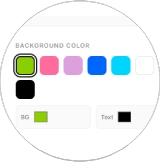
Pick the colors that match your idea. You can use the classic Brat green look or try other colors to create your own style.

4. Adjust the Style

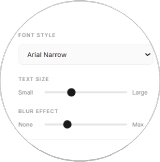
Customize your design until it looks the way you want. Try different text styles, layouts, colors, and other available options to create a unique Brat-inspired graphic.

5. Download Your Image

When you’re happy with your design, download the finished image and use it wherever you want. You can share it on Instagram, TikTok, X, Facebook, or other platforms.

That’s it! The whole process takes only a few steps, making Brat Generator useful for beginners and anyone who wants to create a quick Brat-style image without complicated design software.

Open Tool
Add Text
Choose Colors
Adjust Style
Download Image
STEP 1 — LAUNCH THE STUDIO

Access the Brat Maker instantly. No sign-ups, no downloads—just pure creativity.

STEP 2 — DROP YOUR WORDS

Paste your lyrics, bold captions, or the title that's living rent-free in your head.

STEP 3 — CRANK THE COLORS

Dial in the iconic neon greens, hot pinks, or switch to stealth black mode.

STEP 4 — TWEAK THE VIBE

Resize, remix, and rearrange until your layout hits exactly the right note.

STEP 5 — EXPORT & DOMINATE

Download in HD and flood your Instagram, TikTok, or X with your new visual.

Now that you know what Brat Generator is and how to use it, let’s take a closer look at the features that make it easy and fun to create Brat-style designs.

Before we explore the main features, you may also want to try our Name Combiner Tool. If you enjoy creating unique ideas for personal projects, branding, usernames, or couple names, this tool lets you combine two or more names in a simple and fun way. It’s another handy creative tool to try when you want to turn simple ideas into something new.

What Makes a Brat Generator Useful?

Brat Generator is built to keep the design process simple. You can create Brat-style text, memes, album covers, social media graphics, and custom images without needing complicated design software.

From adding custom text and choosing colors to adjusting the look of your design, the tool gives you simple options to make your image your own. Whether you’re creating something for Instagram, TikTok, X, Facebook, a profile picture, or just for fun, you can experiment with different styles and create something worth sharing.

Let’s take a closer look at the key features of Brat Generator and see what you can create with it.

Key Features of Brat Generator

Brat Generator is designed to make Brat-style image creation simple, fast, and fun. You can create custom text graphics, memes, covers, and social media images without learning complicated design software. Here are some of the main features you can use.

Easy to Use

You don’t need to be a graphic designer to use Brat Generator. The editor has a clean and simple layout, so you can find the tools you need without getting lost in complicated menus. Just enter your text, choose your colors, adjust the style, and create your image. Whether you are making your first Brat-style design or creating content regularly, the simple editor makes the process easy.

Full Customization​

Create a design that matches your own style with simple customization options. You can change different parts of your image instead of being stuck with one fixed design. Adjust your text, font size, background, colors, effects, and layout to create the look you want. You can also try different combinations to make your Brat-style graphic feel more personal and unique.

Real-time Preview

See your changes as you make them with the real-time preview. There is no need to guess how the final image will look. Add text, change colors, adjust the style, or apply effects, and the preview updates as you work. This makes it easy to try different ideas and fix anything before you download your final image.

Multiple Colors

Give your design the look you want with a wide range of color options. You can use the classic Brat green style inspired by Charli XCX or choose another color for a more personal design. Different colors can help you create everything from simple Brat-style text and album covers to colorful memes and social media graphics. Try different combinations and find the look that works best for your idea.

High-Quality Output

A good design should look clear and sharp after you create it. Brat Generator helps you create high-quality images that are easy to view and share. Your text, colors, and design elements stay clear in the final image. You can use your designs for Instagram, Facebook, X, TikTok, Snapchat, and other social platforms. Create a Brat-style cover, meme, text graphic, or profile image and share it wherever you like.

Instant Results

Nobody wants to sit around waiting for a simple image to generate. With Brat Generator, you can create your design in just a few seconds. Add your text, choose your colors and style, then click Generate. Your design appears quickly, so you can make several versions and try different ideas without wasting time.

Direct Social Sharing

Finished your design and ready to share it? Brat Generator makes it easy to take your creation to social media. You can use your designs for Instagram posts, TikTok content, Facebook posts, X posts, Snapchat stories, and other online platforms. Create a design, save it, and share it with your friends and followers.

Multiple Effects Available

Add different effects to make your design more interesting. Depending on the available options, you can experiment with effects such as flip, mirror, noise texture, lowercase text, and other Brat-style effects. Try different combinations to find a look that fits your text and idea. Small changes can give the same design a completely different feel.

Browser-Based Tool

Brat Generator is a browser-based online tool, so you don't need to install an app or download special software. Everything happens directly in your browser. Open the website on a supported device, enter your text, customize your design, and generate your image. This makes it easy to create Brat-style text, memes, covers, and social media graphics from almost anywhere.

Works in Any Browser

You can use Brat Generator directly from your web browser. It works with popular browsers such as Google Chrome, Mozilla Firefox, Microsoft Edge, and Safari. There is no desktop application to install. Open the website on your computer, laptop, tablet, or phone and start creating your design.

No Sign-Up Required

Want to create a design without making an account? No problem. Brat Generator does not require you to sign up before using the tool. You can open the website, enter your text, customize your design, and start creating. There is no need to create a username, password, or account just to make a Brat-style image.

Completely Free

Brat Generator is free to use. You can create Brat-style designs without paying for a subscription or buying expensive design software. Use the available customization options, colors, effects, and other tools to create your designs without worrying about hidden costs or complicated plans.

Popular Brat Styles You Can Create

The Brat aesthetic has inspired many different looks, from the classic green album style to bold and playful designs. With Brat Generator, you can experiment with different colors, text styles, layouts, and effects to create your own version.

Here are some popular Brat-inspired styles you can explore:

Brat Summer

Try the classic Brat summer look with a bright green background and bold, stretched text. It is one of the most recognizable styles connected with the Brat aesthetic.

Charli

Keep things simple with a clean Charli-inspired style. Use bold text and a minimal layout to create a design that feels simple but stands out.

360

Go for a more modern and edgy look with a 360-inspired design. Experiment with unusual text placement, bold colors, and different effects to create something eye-catching.

Brat Billie Eilish

Try a Brat Billie Eilish-inspired style for a darker and more creative look. Combine bold Brat-style text with strong colors, simple layouts, and edgy effects to create a design that feels unique and eye-catching.

Talk Talk

The Talk Talk-inspired style gives your design a fun and energetic feel. Use bold text, bright colors, and creative positioning to create a standout graphic that works well for social media posts, memes, and custom Brat-style designs.

Von Dutch

Create a bold and rebellious design inspired by the Von Dutch aesthetic. Strong text and high-contrast colors can give your image a more energetic feel.

Apple

Prefer something simple? Try an Apple-inspired style with a cleaner and more minimal look. Keep the layout simple and let your text do the talking.

Mean Girls

Have some fun with a Mean Girls-inspired design. Use playful text, bright colors, and creative layouts to make a design that feels fun and social-media ready.

You can also mix different ideas to create your own Brat-style design. Try new words, colors, effects, and layouts until you find a look that feels right for you.

von-dutch

Why Choose Our Brat Generator

The Brat aesthetic became a huge part of internet culture after Charli XCX released her Brat album. Its bright green color, simple layout, bold typography, and slightly messy visual style quickly became easy to recognize across social media.

Our Brat Generator lets you create your own designs inspired by that popular style. Turn your regular words into bold, stretched, and eye-catching Brat-style text without needing graphic design skills.

You can use your creations for many different things, including:

  • Social media posts
  • Instagram Stories
  • Memes
  • Profile pictures
  • Album-style covers
  • Usernames and bios
  • Wallpapers
  • Personal branding

Simply enter your text, customize the design, and create your image. Whether you want to follow the classic Brat green aesthetic or try your own colors and style, the generator gives you an easy way to make something unique.

Why the Brat Aesthetic Went Viral

Millions of people use the Brat text generator to create outstanding designs.

Global Popularity

The Brat tool has gained popularity across the world due to its connections with the famous album.

Artistic Freedom

This amazing tool offers complete freedom to users to create new and stylish designs.

Common Issues and Quick Fixes

Brat Generator is designed to be simple, but you may sometimes run into a small issue while creating or downloading an image. Most problems are easy to fix. Here are some quick solutions to common problems.

Preview Not Showing Your Design

If the preview is blank, first check that you have entered some text in the text box. Then make sure you have selected both a background color and a text color. Once these options are set, your design should appear in the preview.

Text Looks Blurry or Hard to Read

Your text may be difficult to see when the text and background colors are too similar. Try using colors with stronger contrast.

For example, dark text on a light background or light text on a dark background usually makes the design easier to read.

Can’t Download Your Image

If your image does not download, your browser may be blocking the download. Check your browser’s download permissions and allow downloads from the website.

You can also refresh the page or try another browser, such as Google Chrome, Microsoft Edge, Firefox, or Safari.

Need a Specific Color?

Use the color picker to find the exact shade you want. If you already know the color’s HEX code, you can enter it directly when the tool supports HEX colors.

This gives you more control over your Brat-style design instead of using only the preset colors.

Image Quality Looks Low

If your final image looks less clear than expected, check the image resolution before downloading. For social media designs, a square size such as 1200 × 1200 pixels can provide a sharp result when that option is available.

Also avoid stretching a small image to a much larger size, as this can make text and details look blurry.

Effects Are Not Working

If an effect does not appear correctly, give the preview a moment to update and try applying the effect again. You can also refresh the page and reopen the generator.

If the problem continues, clear your browser cache or try the tool in another browser. This can help when an old cached version of the page causes display issues.

Brat Generator Alternatives

Brat Generator is a simple way to create Brat-style text, covers, memes, and social media graphics. However, you may also want to try other design tools when you need more templates, fonts, photo editing features, or advanced effects.

Different tools are useful for different types of creative work. Here are some popular Brat Generator alternatives you can explore.

Canva

Canva is a popular online design platform for creating social media posts, album covers, posters, logos, presentations, and custom graphics. It offers a large collection of templates, fonts, images, and design elements with an easy drag-and-drop editor.

Adobe Express

Adobe Express is a good option if you want more design and editing features. You can create social media graphics, posters, flyers, logos, and other visuals using templates, fonts, effects, and branding tools.

Font Meme

Font Meme focuses more on text and fonts inspired by movies, music, games, and pop culture. It can be useful when you want to experiment with different lettering styles and create text-based graphics without using complicated design software.

Kapwing

Kapwing is an online creative editor that can be used for memes, social media posts, videos, GIFs, and image designs. It includes tools for adding text, captions, images, animations, and other effects directly in your browser.

Picsart

Picsart combines photo editing with creative design tools. It offers filters, stickers, text effects, templates, AI-powered features, and image editing tools that can help you create content for social media.

Letras Bonitas

Letras Bonitas is useful when you want to turn normal words into decorative or stylish text. You can copy and paste different lettering styles into places such as Instagram bios, TikTok captions, usernames, and social media profiles. It can also be a fun way to add different text styles alongside your Brat-inspired designs.

Which Brat Generator Alternative Should You Use?

The best option depends on what you want to create. If you need ready-made templates and simple graphic design, Canva is a strong choice. For quick Adobe-style editing, Adobe Express may be useful. Font Meme is better suited to text and pop-culture fonts, while Kapwing and Picsart offer more options for memes, images, videos, and social media content.

If your main goal is simply to create a Brat-style image quickly, Brat Generator keeps the process focused and easy.
Conclusion

The Brat Generator makes it easy to turn simple words into fun, bold, and eye-catching designs. Inspired by the visual style of Charli XCX’s Brat album, it gives you a simple way to create Brat-style text, memes, album covers, profile images, wallpapers, and social media graphics. You don’t need to be a graphic designer or learn complicated editing software. Just enter your text, choose your colors, try different styles and effects, and create a design that matches your idea. You can experiment as much as you like and make each design your own. Whether you are making something for Instagram, TikTok, X, Facebook, a personal project, or just for fun, Brat Generator gives you an easy place to start. Try different colors, words, and styles, and see what you can create. Ready to make your own Brat-style design? Start creating and have fun with it

FAQs:

A Brat Generator is a free online tool that helps you create images inspired by the visual style of Charli XCX’s Brat album. You can enter your own text, choose colors and styles, and create Brat-style text, covers, memes, and social media graphics.

Using the Brat Generator is simple. Enter the text you want to use, choose your background and text colors, adjust the available style options, and preview your design. When you are happy with the result, generate and download your image.

Yes. Brat Generator is free to use. You can create Brat-style designs without paying for a subscription or buying graphic design software. You can simply open the tool in your browser and start creating.

The exact typography used for the Brat album cover has been discussed widely, and different tools use similar fonts to recreate the look. Many Brat generators use condensed fonts such as Arial Narrow or other bold sans-serif fonts, combined with lowercase text and a soft blur effect to create a similar visual style.

Brat green refers to the bright lime-green color strongly associated with Charli XCX’s Brat album and its visual identity. Many online generators use a similar lime-green shade as the default background for Brat-style designs. The exact color can vary slightly between tools.

Yes. You can enter almost any word, name, phrase, or short message and turn it into a Brat-inspired text image. Short phrases usually work well because they keep the design clean and easy to read.

Yes, if the generator provides color controls, you can change the background and text colors to create different looks. You can use the classic Brat green style or experiment with colors such as black, white, pink, blue, purple, and other shades.

Yes. You can use the Brat Generator to create Brat-style memes by adding funny phrases, jokes, reactions, or short messages. After creating the image, you can save it and share it on your favorite social media platform.

Yes. Brat Generator works in a modern web browser, so you can use it on Android phones, iPhones, tablets, laptops, and desktop computers. You don’t need to install a separate app to create your designs.

No account is needed if you are using the free version of the tool described on this website. You can open the generator and start creating your design without going through a registration process.