Brat Word Generator – Create Brat-Style Words in Seconds

Create bold and eye-catching Brat-style words with our free Brat Word Generator. Enter a word or short phrase, choose your preferred color and style, and turn it into a simple graphic inspired by the Brat aesthetic. No design skills or complicated software needed—just enter your word, customize it, and create your design in seconds.
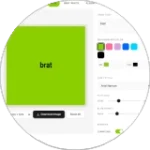
Brat Generator
BG
Text
75
Small Large
1.5px
None Max
0.85x
Narrow Wide
-2px
Tight Loose
Lowercase
Mirror Text
Low-res Compression

What Is a Brat Word Generator?

A Brat Word Generator is a free online tool that turns a word or short phrase into a bold, Brat-inspired graphic. It takes your text and gives it a simple visual style inspired by the recognizable look of Charli XCX’s Brat era.

Unlike regular text generators, this tool focuses on short words and phrases rather than long blocks of text. You can create a clean graphic for a name, nickname, meme, caption, profile image, or social media post.

Using it is simple: enter your word, choose your color and style, preview the result, and download your image. If you want to explore the full range of Brat-style creations, you can also try our Brat Generator.

You don’t need graphic design skills or complicated software, making it easy for anyone to create a Brat-style word in just a few clicks.

How to Use Brat Generator

Follow these simple steps;

Open Tool
Add Text
Choose Colors
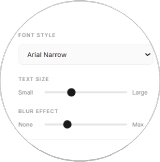
Adjust Style
Download Image

Key Features of Brat Word Generator

The Brat Word Generator gives you simple options to create clean and eye-catching word graphics. Customize your text, choose a color, and preview your design before saving it.

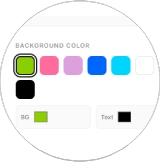
Background Color Options

Choose from popular colors such as Brat green, pink, black, and white. If a custom color option is available, you can also pick a shade that matches your style.

Text Alignment

Change the position of your word to create a different look. Center alignment gives a clean appearance, while left or right alignment can make your design feel more unique.

High-Quality PNG Download

Save your finished word graphic as a high-quality PNG image. Clear output helps your text stay sharp when you share it on social media or use it in other projects.

Live Preview

See your word change as you customize the design. The live preview lets you check the text, color, and layout before downloading, so you can make changes until the result looks right.

Why Use One-Word Graphics?

Sometimes a single word can say more than a long caption. A short, bold word is quick to understand and easy to remember, which makes it useful for social media posts, profile images, memes, and personal graphics.

With the Brat Word Generator, you can turn a simple word into a visual design without spending time editing a blank canvas. The clean layout keeps the focus on your message and gives you a ready-to-share image.

One-word graphics can also work well across different platforms because the design is simple and easy to view on both phones and computers.

How to Pick the Right Color for Your Word

Color can change the mood of your graphic. Choose a background that matches the feeling you want your word to give.

Green

Brat green is the most recognizable choice for a Brat-inspired design. It creates a bright, bold, and energetic look that closely matches the familiar Brat aesthetic.

Pink

Pink can give your word a more playful, fun, or friendly feeling. It works well for names, positive words, jokes, and lighthearted content.

Black

Black creates a stronger and more dramatic appearance. It can work well when you want your word to feel bold, serious, or powerful.

White

White gives your design a clean and simple appearance. It works especially well when you want the word itself to remain the main focus.


Tip: Think about what your word represents and choose a color that matches its mood. Also make sure the text has enough contrast with the background.

Where Can You Use Brat Word Graphics?

Your finished word graphic can be used in many places online. Here are some simple ideas:

Instagram

Use a Brat-style word as a profile picture, post, Story, or highlight image. A short word can also work well as part of a themed profile.

TikTok

Create a bold word graphic for a video cover, post, or visual background. Keep the text large and easy to read on a phone screen.

Discord

Use your word graphic as a profile image or server-related visual. You can choose a word that represents your current mood, username, or online style.

WhatsApp

A custom word image can work as a profile picture, status, or message graphic. It gives you a simple way to share a mood or short message.

Other Creative Projects

You can also use your graphics for memes, wallpapers, mood boards, thumbnails, presentations, personal projects, and other social content.

Common Mistakes to Avoid

Even a simple word graphic can look better with a few small changes.

Using Very Long Words

Long words may become smaller and harder to read, especially on mobile screens. Short words usually work better with this style. If your word is long, check the preview to make sure it still looks clear.

Choosing Similar Colors

Avoid using text and background colors that are too close. For example, light text on a light background can be difficult to see.

Use strong color contrast so your word remains clear and easy to read.

Adding Too Many Effects

The Brat aesthetic is known for its simple appearance. Adding too many effects can make the design look crowded and take attention away from your main word.

Skipping the Preview

Always check your design before downloading it. Look at the text size, alignment, color, and overall balance. A quick preview can help you catch small problems before you save or share the image.

More Brat Tools You Can Try

If you enjoy creating Brat-inspired graphics, you can also explore other tools for different types of content.

Brat Text Generator

The Brat Text Generator is useful when you want to create longer text, quotes, captions, or phrases instead of a single word.

Brat Meme Generator

Want to create something funny? The Brat Meme Generator lets you combine images and text to create custom Brat-inspired memes for social media and personal use.

Brat Font Text Generator

The Brat Font Text Generator focuses on creating Brat-style text graphics with different text and visual options. It’s a good choice when your main goal is experimenting with typography.

Using the right generator depends on what you want to create. For a single bold word, Brat Word Generator keeps the process simple and focused.

Conclusion

Creating a bold word graphic does not need to be complicated. With the Brat Word Generator, you can enter a word, choose a color, check the preview, and create a ready-to-share design in just a few clicks.

Start with a short word that matches your mood, name, or message, then try different colors to find a style you like. Keep the design simple, make sure the text is easy to read, and let the word stand out.

Whether you are making a profile image, social media post, meme, or just something fun, the Brat Word Generator gives you a quick and easy way to turn simple words into eye-catching graphics.

FAQs:

A Brat Word Generator is an online tool that turns a word or short phrase into a simple graphic inspired by the Brat aesthetic. You can customize the color and style, preview your design, and download the finished image.

Yes, the Brat Word Generator is designed as a free tool. You can create Brat-style word graphics without needing expensive design software or special skills.

Yes. You can enter your own word, name, nickname, mood, or short phrase and turn it into a custom Brat-style graphic.

Common choices include Brat green, pink, black, and white. Depending on the tool, you may also be able to choose a custom color to create a look that fits your style.

Yes, you can download your finished design as a PNG image. This makes it easy to save, share, or use on social media and other platforms.

You can use your graphic on Instagram, TikTok, Discord, WhatsApp, and other social platforms. It can also be used for profile pictures, memes, thumbnails, wallpapers, and personal projects.

Short and bold words usually work best. Names, nicknames, moods, short messages, and simple phrases are good choices because they remain easy to read on different screen sizes.

A Brat Word Generator is mainly made for creating graphics from a single word or short phrase. A Brat Text Generator is better suited for longer text, captions, quotes, or phrases.