Brat Meme Generator – Create Brat-Style Memes Free

Create fun and eye-catching Brat-style memes with our free Brat Meme Generator. Inspired by the bold visual style of Charli XCX’s Brat era, the tool lets you add your own text, images, colors, and effects to make custom memes in seconds. Create a funny reaction, social media post, or Brat-inspired meme without needing advanced editing skills or complicated software.
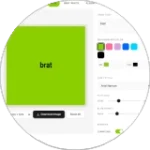
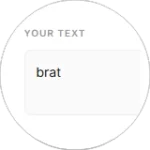
Brat Generator
BG
Text
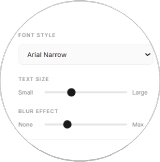
75
Small Large
1.5px
None Max
0.85x
Narrow Wide
-2px
Tight Loose
Lowercase
Mirror Text
Low-res Compression

What Is a Brat Meme Generator?

A Brat Meme Generated is an online tool that helps you create memes inspired by the bold visual style of Charli XCX’s Brat era. The classic look often uses lowercase text, bright green backgrounds, simple layouts, and soft visual effects.

Instead of building a meme from scratch with complicated editing software, you can simply add your own text, image, colors, and style. The generator makes it easy to create a custom Brat-inspired meme that you can save and share.

Traditional memes often use large fonts with heavy outlines and busy images. Brat memes take a different approach by using simple typography, strong colors, and minimal design. This clean look makes them easy to recognize and works well for funny reactions, short jokes, social media posts, and personal content.

You can follow the classic Brat aesthetic or experiment with different words, colors, images, and effects to create a meme that matches your own style.

How to Use the Brat Meme Generator

Creating a Brat-style meme is quick and simple. You can turn your own image and text into a custom meme in just a few steps.

Using the Brat Generator is quick and easy. You don’t need graphic design skills or previous experience to create a Brat-style image. Just add your text, choose your colors and style, and download your finished design.

Open Tool
Add Text
Choose Colors
Adjust Style
Download Image
STEP 1 — Choose Your Image

Upload your own JPG or PNG image, or choose an available template. Your selected image will become the base of your meme.

STEP 2 — Add Your Text

Enter your meme text in the available text box. Keep your message short, funny, and easy to read for a stronger result.

STEP 3 — Customize Your Meme

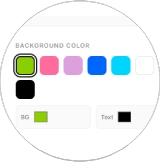
Choose your background and text colors to match the Brat aesthetic. Bright green is a popular choice, but you can try other colors and styles to create your own look.

STEP 4 — Preview Your Design

Check your meme before downloading it. Make any small changes to the text, colors, image, or layout until everything looks right.

STEP 5 — Download and Share

When your meme is ready, download the finished image to your device. You can then share it on Instagram, TikTok, Facebook, X, or other social platforms.

Key Features of Our Brat Meme Generator

Our Brat Meme Generator Include:

Image Upload

Upload your own JPG or PNG images and turn them into custom Brat-style memes. Using your own photos gives you more freedom than working with fixed templates.

Text Customization

Add your own meme message and choose where it appears on the image. You can place text at the top, center, or bottom and adjust the size to make it easy to read.
If you want to create Brat-style text separately, you can also use our Brat Font Text Generator.

Multiple Color Options

Choose from different colors to create the look you want. Try the classic Brat green, black, pink, white, or another shade that matches your meme.

Mobile Friendly

Create memes from your phone, tablet, or computer. The responsive design makes the generator easy to use on touchscreens, so you can make and share Brat-style memes wherever you are.

Easy Preview

Check your meme before saving it. Preview your image, text, colors, and layout and make changes until you are happy with the final design.

Quick Download

Once your meme is ready, download the finished image to your device. You can then use it for Social Media Posts, Great.

What Makes Brat Memes Different?

Good have a simple look that makes them easy to recognize. They are often inspired by the visual style of Charli XCX’s Brat album, using lowercase text, bright colors, and simple layouts.


Unlike traditional memes that may use large images, heavy borders, or detailed graphics, Brat memes usually keep things clean and minimal. The combination of bold colors and simple text gives them a distinct look while leaving the main message easy to understand.

Popular Brat Meme Templates

There are several styles you can use when creating a Brat-inspired meme.

Classic Brat Green

The bright green background is the most recognizable Brat-style option. It works especially well with short, bold messages and simple text.

Flash Photo

Flash-style images can give your meme a casual party or nightlife feel. They work well for funny reactions, event photos, and social media posts.

Paparazzi Style

Paparazzi-inspired images create a candid, unexpected look. They can be useful for memes about celebrities, awkward moments, reactions, or everyday situations.

Club Style

Dark images with colorful lighting can create a nightclub-inspired feel. Pink, purple, and bright light effects can work well when you want a more energetic Brat-style design.

Tips for Creating Better Brat Memes

A few simple choices can make your meme easier to read and more enjoyable to share.

  • Keep your message short: One or two lines are usually enough.
  • Use clear images: Avoid photos that are too dark or blurry.
  • Choose strong contrast: Make sure your text stands out from the background.
  • Check text size: Your message should be easy to read on a phone.
  • Keep the design simple: Don’t add too many effects or extra elements.
  • Preview before downloading: Check the complete meme before sharing it.

Common Mistakes to Avoid

Adding Too Much Text

Long paragraphs can make a meme difficult to read. Try to express your idea in a short phrase or a couple of lines.

Using Low Contrast

If your text and background have similar colors, the message can disappear into the image. Use light text on dark backgrounds or dark text on light backgrounds when possible.

Choosing a Blurry Image

A low-quality or overly dark photo can make the finished meme look unclear. Start with a sharp image that has enough space for your text.

Adding Too Many Effects

Brat memes work well because of their simple and recognizable style. Too many borders, effects, colors, or design elements can make the meme look crowded.

Forgetting Mobile Viewers

Most social media content is viewed on phones. Before downloading your meme, make sure the text is large enough to read on a small screen.

Conclusion

The Brat Meme Generator makes it easy to turn your ideas, photos, and short messages into fun Brat-inspired memes. You don’t need advanced editing skills or complicated software. Simply choose an image, add your text, customize the colors and style, preview the result, and download your finished meme.
The recognizable Brat aesthetic is built around simple layouts, bold colors, lowercase text, and a clean visual style inspired by Charli XCX’s Brat era. You can follow the classic green look or experiment with different colors, images, and effects to create something that feels more personal.

Whether you’re making a funny reaction, a social media post, a party meme, or something just for your friends, the generator gives you an easy way to get creative. Choose an image, add your message, and make your own Brat-style meme.

FAQs:

A Brat Meme Generator is an online tool for creating memes inspired by the visual style of Charli XCX’s Brother album. You can add text, images, colors, and other design elements to create your own Brat-style meme.

Choose or upload an image, enter your meme text, select your colors and style, and check the preview. When your meme looks right, download the image and share it on your preferred platform.

Yes, if the generator supports image uploads, you can use your own JPG or PNG photo as the base for your meme. This lets you create more personal and original Brat-inspired content.

The classic choice is the bright Brother Green associated with Charli XCX’s Brother album. However, you can experiment with black, pink, white, purple, blue, or other colors to create your own variation.

Yes. You can add your own words, jokes, reactions, captions, or short messages. Short text usually works best because it keeps the design clean and easy to read.

Yes. A browser-based Brat Meme Generator can be used on modern Android phones, iPhones, tablets, laptops, and desktop computers. You can create your meme without installing separate editing software.

You can use your finished memes on platforms such as Instagram, TikTok, Facebook, X, Snapchat, messaging apps, or personal projects. Always follow the rules of the platform and make sure you have the right to use any images you upload.

Keep your message short, use a clear image, and choose colors with strong contrast. Avoid adding too many effects or elements. Before downloading, check that the text is easy to read on a phone screen.